Will it slow my PC down?
Hardly. While on, it uses about 50 MB of memory (playback device and microphone) and, on the development PC, about 0.3% of one CPU core. Turn it off and it stops.
Is it safe?
It has no networking, so sound and settings are never sent. It receives only the shortcuts you set and never reaches into other apps. No administrator rights needed. See Privacy.
"Windows protected your PC" appeared
The installer version is not code-signed, so Windows may ask first. If you got it from the release page, choose More info → Run anyway. Its SHA-256 hash is published too. The Microsoft Store version does not show this.
Is it fine while gaming?
It only takes the sound Windows plays and never touches a game's program or memory. Anti-cheat rules differ by game, so check the game's own guidance if you are unsure.
Is it free?
Yes. If you like it, you can support development on OFUSE.
Where can I paste?
Anywhere that takes a pasted WAV file. Checked with Discord and File Explorer. Besides Ctrl + V, you can drag the clip's wave or an album row in. Into a DAW, drag it (checked with Fender Studio); some DAWs don't take Ctrl + V.
Are call voices included?
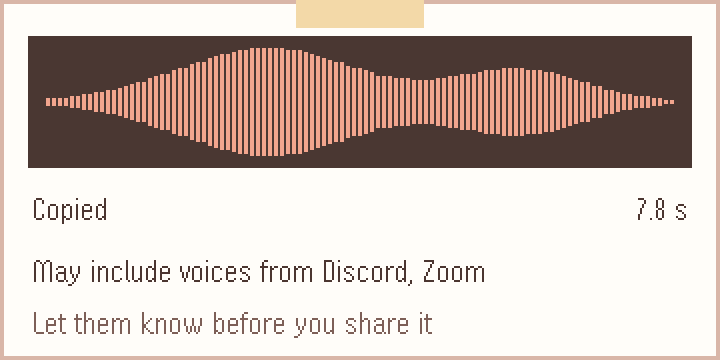
Yes: call voices usually play through your playback device. Let people know before you share.
What about the microphone?
The Windows default microphone is used at first; untick it the first time you turn it on.
My Bluetooth earbuds sound worse
When their microphone is in use, Windows may switch them to call quality. Choose another microphone in Settings → Audio devices.
The microphone icon stays on
It shows the microphone is in use, so it stays. If you don't need it, set the microphone to "Not used" in Settings → Audio devices.
My PC no longer sleeps on its own
While the microphone is in use, Windows may hold off automatic sleep. Sleep from the Start menu and closing a laptop's lid still work as usual. To let it sleep on its own, turn Rewind copy off, or set the microphone to "Not used" in Settings → Audio devices.
Can it hear my DAW?
Not through ASIO or exclusive mode. Set the DAW's output to WASAPI (shared), or choose a loopback input as the microphone.
A shortcut clashes with another app
Change it in Settings → Shortcut keys.
Where does the sound go? How much disk?
Rewind audio stays in memory. Copied WAVs are saved on this PC (about 1.9 MB for 10 seconds) and deleted after the keep time (24 hours at first). Favourites, the clip on screen and the one on the clipboard stay.
How do I update?
The Microsoft Store version updates through the Store. For the installer version, install the new version over the old one. Settings and clips carry over.
What happens to clips if I uninstall?
Clips and settings stay. If you don't need them, delete %LOCALAPPDATA%\OtoShot and %APPDATA%\OtoShot.
Something doesn't work
Let @yoruhinot on X know which app it was and what happened.
 OtoShot